
 admin
Upgrading your desk setup often starts with the equipment you touch every single day. If you spend hours typing on a flat laptop keyboard or a standard rubber-membrane office board, your fingers adapt much like sitting in an average office chair. However, switching to a mechanical keyboard transforms daily typing and gaming into a far more tactile, responsive, and ergonomic experience.
What Does “Mechanical Keyboard” Actually Mean?
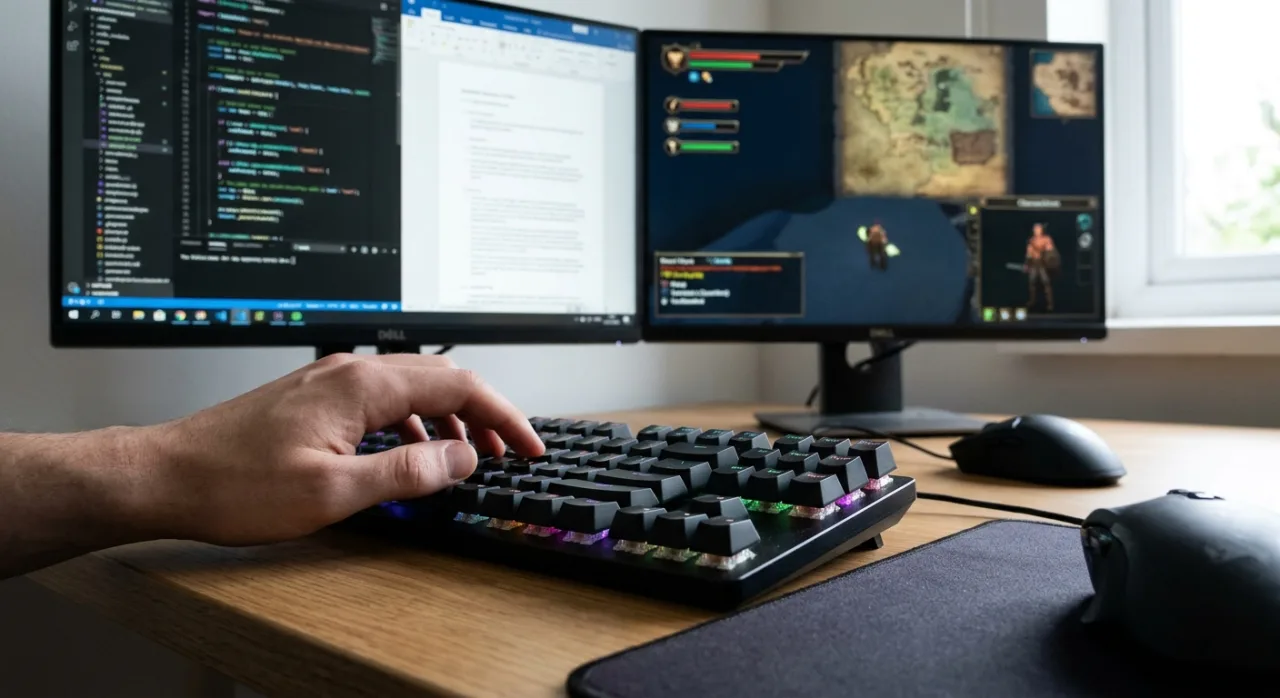
A mechanical keyboard uses individual physical switches beneath every keycap. Each switch contains an individual spring and metal contact mechanism that registers a keypress mid-way through its travel distance.
In contrast, standard membrane keyboards rely on a single continuous rubber dome sheet. You must press each key all the way down (“bottoming out”) to register a stroke.
| Feature | Mechanical Keyboards | Membrane Keyboards |
| Actuation Mechanism | Individual switch per key (spring & physical contacts) | Single rubber dome sheet beneath keycaps |
| Actuation Point | Mid-stroke (does not require bottoming out) | Full-stroke (requires complete bottom out) |
| Lifespan per Key | 50 million to 100 million presses | ~5 million presses |
| Repairability | Individual switches/keycaps easily replaceable | Entire board must be replaced if dome sheet degrades |
| Customization | Wide choice of switch feel, keycaps, and dampeners | Fixed tactile feel; non-swappable parts |
Essential Mechanical Keyboard Benefits for Daily Work
1. Typing Comfort and Reduced Impact Fatigue
Because mechanical switches actuate mid-press, your fingers do not need to slam against a hard plastic backplate thousands of times per day. Over a full workday, this significantly reduces fingertip impact and joint fatigue.
2. Improved Speed and Typing Accuracy
Tactile feedback confirms precisely when a key stroke registers. This physical cue stops you from double-typing letters or second-guessing strokes, leading to lower error rates within the first week of use.
3. Better Ergonomic Key Sculpting
Keycaps on mechanical keyboards feature contoured shapes that guide fingertips toward the center of each key. Combined with consistent spring resistance across every row, this design helps build muscle memory for writers, coders, and office professionals.
Gaming Performance: Real Advantages vs. Marketing Myths
When evaluating mechanical keyboards for gaming, focus on consistency and responsiveness rather than miraculous skill gains:
-
N-Key Rollover (NKRO): Every keypress registers independently, allowing complex multi-key combinations without ghosting or dropped inputs.
-
Rapid Repetition: Physical springs reset quickly, allowing rapid double-taps and rhythmic key presses in competitive titles.
-
Custom Actuation Points: Higher-end magnetic or optical switches allow custom actuation distances for near-instant movement triggers.
While a mechanical keyboard provides a reliable hardware foundation, primary gaming performance still heavily depends on monitor refresh rates, mouse precision, and personal practice.
Choosing the Right Switch Type and Keyboard Layout
1. Select Your Preferred Switch Type
-
Tactile (e.g., Brown Switches): Provides a gentle bump mid-stroke. Ideal for office work and typing without loud clicking noises.
-
Linear (e.g., Red Switches): Smooth, uninterrupted keypress from top to bottom. Preferred for gaming and quiet operation.
-
Clicky (e.g., Blue Switches): Features an audible click alongside a tactile bump. Best suited for private home offices.
2. Select Your Ideal Keyboard Form Factor
-
Full-Size (100%): Includes a dedicated numeric keypad; essential for extensive spreadsheet work and data entry.
-
Tenkeyless (TKL / 80%): Removes the number pad to give your mouse hand significantly more desktop space.
-
Compact (75% / 60%): Retains core navigation or alphanumeric keys in a minimalist footprint for tight workspaces.
Managing Keyboard Noise in Shared Spaces
Mechanical keyboard noise comes from choices in switch design rather than an unavoidable defect:
-
Avoid Clicky Switches: Stick to Linear, Tactile, or specialized Silent Mechanical Switches in shared environments.
-
Add a Desk Mat: Placing a thick desk pad beneath the board dampens hollow resonance from wood or glass desks.
-
Opt for PBT Keycaps: High-density PBT plastic produces a deeper sound profile and resists surface shine over time.