
 Nolan Brooks
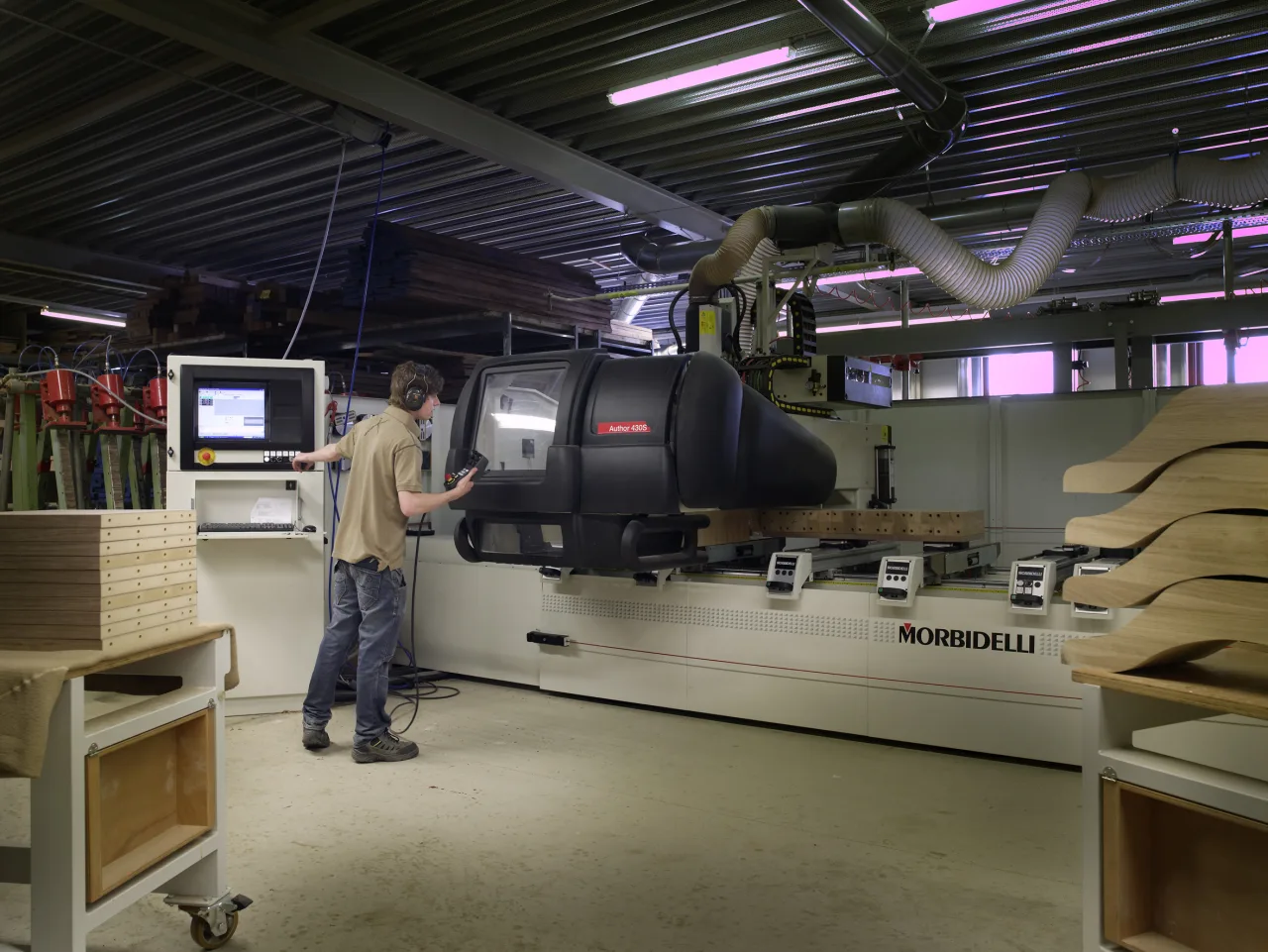
A CNC router and a CO2 laser can both sit in a small shop and turn a digital file into a cut part. They do not do the same work. A router is a spinning cutter that removes material in a toolpath. A CO2 laser is a focused beam that cuts or engraves by heating a narrow line until the material vaporizes or melts away. Choosing between them starts with the material, the edge you need, and whether you are making one prototype or repeating a job.
How Each Machine Actually Cuts
On a CNC router, a computer-controlled gantry moves a spinning bit in X, Y, and often Z. The bit shears material, so the machine can pocket a cavity, cut a profile, drill a hole, or leave a three-dimensional surface. Bit diameter, flute count, and feed rate determine chip load, surface finish, and whether the tool survives the cut. Hold-down, fixturing, and dust collection are part of the process, not extras, because a moving cutter puts force into the workpiece.
A CO2 laser moves a beam, usually with mirrors and a focusing lens, across a flat bed. There is no cutting force in the same sense, so thin sheet can be cut with light fixturing, and engraving can follow a raster or vector path. Kerf is narrow. Edges on acrylic can be fire-polished and clear; edges on wood show a burnt character that you may want or may need to sand away. The laser does not like every material, and some coatings or plastics are unsafe to engrave because of the fumes they release.
Materials and Typical Jobs
Routers excel at wood, plywood, MDF, many plastics, and some non-ferrous metals when the machine, spindle, and tooling are rated for that work. They can cut thick stock that a hobby-class CO2 laser will not get through in a single pass, and they can leave pockets, dados, and carved surfaces. That makes them a natural fit for furniture parts, signs with depth, jigs, and enclosures.
CO2 lasers are strongest on organic materials and certain plastics: wood, paper, leather, fabric, acrylic, and similar sheet goods, plus marking on some coated metals with the right settings and materials. They are a poor first choice for thick aluminum plate or for deep three-dimensional carving. If your work is mostly flat profiles, inlays, packaging prototypes, or detailed surface engraving, the laser often finishes the job with less handling. If your work is structural, thick, or three-dimensional, the router is usually the better tool.
Accuracy, Software, and Daily Workflow
Both machines depend on a clean digital file, correct work offsets, and a square, maintained machine. Router accuracy is affected by backlash, bit deflection, and how firmly the stock is held. Laser accuracy is affected by focus, table flatness, and whether the material moves as it is cut. CAM software for a router has to choose tools, depths, and stepdowns. Laser workflows often start from vector paths and power/speed settings, with engraving handled as a separate pass.
Neither machine removes the need for test cuts. A first pass on scrap tells you whether kerf, char, or chip-out will show on the finished part. That habit matters as much as the brand of controller. If you already send files to an outside shop, the same discipline applies: a drawing that ignores kerf or grain direction becomes a part that does not fit, whether you cut it yourself or order custom CNC parts online without paying for avoidable rework.
Cost, Space, and When to Buy
A capable hobby or light-production router needs floor space, dust collection, and a plan for noise. A CO2 laser needs ventilation or filtration, a fire-safe area, and regular lens and mirror care. Consumables differ too: bits and collets on one side, laser tubes, lenses, and assist air on the other. The purchase price is only the start.
Safety habits differ as much as the cutters do. A router throws chips and fine dust, so a collector, eye protection, and a bit that is not dull are part of a normal shift. A CO2 laser’s main hazards are fire in leftover kerf or scrap, poorly ventilated fumes, and a beam path that must stay covered. Neither machine is “set and forget” while it runs a long job. Stay in the room, keep a fire extinguisher rated for the materials you cut, and stop if you smell an unexpected odor or see a cut wander off the path.
If your volume is low or your designs change every week, buying both machines on day one is rarely necessary. Pick the process that matches the work you already have, learn its limits, and use an outside service for the occasional job that the machine cannot do well. A router will not replace a laser for fine engraving on acrylic. A CO2 laser will not replace a router for thick plywood cabinets. The better decision is the one that matches the parts you need to ship, not the one that looks more versatile on a specification sheet.